
Gaster Translator to Convert and Decode Symbols
If you’re an Undertale fan, you’ve probably come across the strange symbols linked to the mysterious W. D. Gaster. It is an auto-detect tool that converts English text into Gaster-style symbols and turns symbols back into readable text. It uses the Wingdings 1 font mapping,the font behind Gaster’s text in Undertale. Everything you type becomes a symbol, while spacing stays the same. People use it to build hidden clue games, send coded fan messages, and craft delightfully unreadable bios.
What Is a Gaster Translator?
Gaster Translator shows your words as symbols instead of converting them from one language to another. Gaster language is not a separate alphabet. It is the Wingdings font used as a symbol code, where every letter has a fixed symbol.
Gaster’s text in Undertale appears in this font, and fans noticed that connection early on. It builds on it by using the Wingdings 1 mapping, so the results match the symbols fans already recognize.
Who Is W. D. Gaster?
W. D. Gaster is a hidden, mysterious character in Undertale, the role-playing game created by Toby Fox in 2015. He was the Royal Scientist before Alphys and created the CORE, which gives power to the Underground.
When you play the game normally, you find almost nothing about Gaster; many people find him in hidden files, secret rooms, and cryptic hints. Many fans believe W. D. Gaster’s name refers to the Wingdings font, while Sans and Papyrus’s names are taken from the Comic Sans and Papyrus fonts, which is why fans find this font-based naming style so interesting.
The Gaster Language: Wingdings 1
Wingdings is a Microsoft symbol font that replaces letters with small pictures and shapes. In Undertale, Gaster’s text is linked to the original Wingdings font, often called Wingdings 1, so that mapping is used here.Wingdings 2 and Wingdings 3 are separate fonts that produce different symbols for the same text. That’s why the same sentence can look completely different depending on the version you choose.
Entry Number 17 in Wingdings
Some secrets in Undertale are hidden so well that most players never see them. Entry Number 17 is one of them. You cannot see it in a normal playthrough because they are unseen in game files. The message is linked to Gaster and written in Wingdings, and when you translate it, the title reads ENTRY NUMBER SEVENTEEN. You can test it yourself by typing that title into the tool above.
Undertale Lore Context
In Undertale, the most interesting thing about Gaster’s story is that he is never seen during a normal playthrough. Signs of Gaster are spread across the game if you notice them. For example, the River Person tells the player, “Beware of the man who speaks in hands.” Many fans consider this a clue about Gaster, because the Wingdings font uses hand symbols.
How to Use the Gaster Translator
Using the Wingdings language translator to turn your text into Gaster symbols is easy. Follow these three steps to get your Gaster-style text:
Step 1: Enter English Text
Wingdings 1 is already selected, so turn on the Gaster mode first. Then type or paste your text into the input box.
Step 2: See the symbols
Your text turns into Gaster-style symbols automatically, so there is no button to press. You can also paste symbols into the box, and they will convert back into readable text.
Step 3: Copy and Check the Result
Click Copy to save your symbols, then check the result to make sure they appear correctly. You can also download an image or share a link.
Gaster Translation Examples
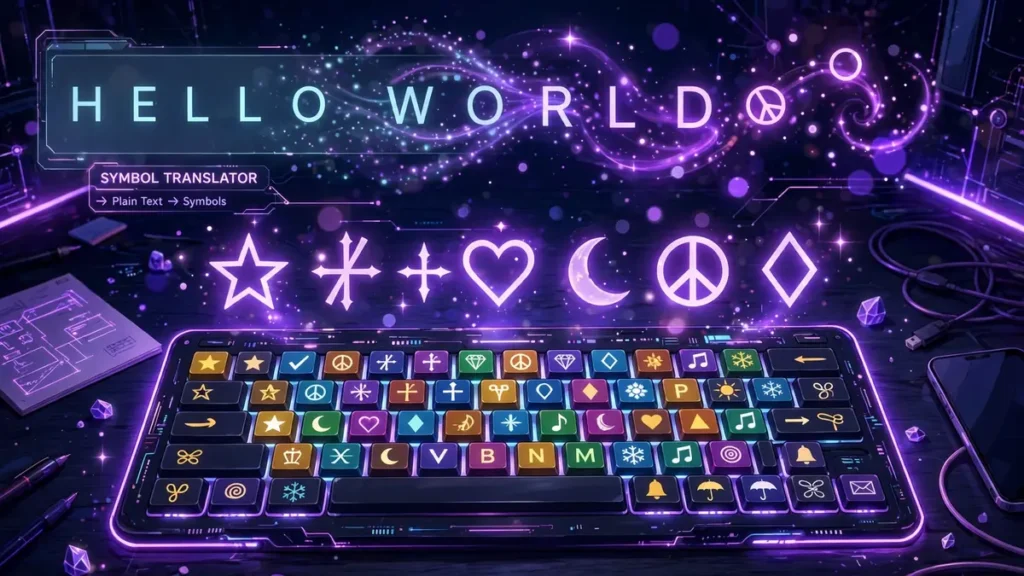
The easiest way to understand how the translator works is to see the results. The examples below show a few common words and phrases converted into Gaster symbols using the Wingdings 1 mapping.
|
English |
Gaster symbols |
|---|---|
|
HELLO 123 |
☟️☜️☹️☹️🏳️ ️📂️📄️🗏️ |
|
GOOD LUCK! |
☝️🏳️🏳️👎️ ️☹️🕆️👍️😐️✏️ |
|
PLAY WITH ME. |
🏱️☹️✌️✡️ ️🕈️🖐️❄️☟️ ️💣️☜️📬️ |
|
UNDERTALE |
🕆️☠️👎️☜️☼️❄️✌️☹️☜️ |
|
Hello |
☟️♏️●️●️□️ |
Gaster Alphabet: Full A–Z Mapping Table
Want to read a Gaster message without the tool? Below is the full A–Z mapping for the Gaster Translator. Capital and small letters have different symbols, and punctuation marks and the digits 0 to 9 are listed after the letters. If you want to explore more characters beyond this table, you can browse our full list of Wingdings symbols.
Capital Letters (A-Z)
|
Key |
Symbol |
Name |
|---|---|---|
|
A |
✌ |
Victory hand |
|
B |
👌 |
OK hand sign |
|
C |
👍 |
Thumbs up sign |
|
D |
👎 |
Thumbs down sign |
|
E |
☜ |
White left pointing index |
|
F |
☞ |
White right pointing index |
|
G |
☝ |
White up pointing index |
|
H |
☟ |
White down pointing index |
|
I |
🖐 |
Raised hand with fingers splayed |
|
J |
☺ |
White smiling face |
|
K |
😐 |
Neutral face |
|
L |
☹ |
White frowning face |
|
M |
💣 |
Bomb |
|
N |
☠ |
Skull and crossbones |
|
O |
🏳 |
Waving white flag |
|
P |
🏱 |
White pennant |
|
Q |
✈ |
Airplane |
|
R |
☼ |
White sun with rays |
|
S |
💧 |
Droplet |
|
T |
❄ |
Snowflake |
|
U |
🕆 |
White Latin cross |
|
V |
✞ |
Shadowed white Latin cross |
|
W |
🕈 |
Celtic cross |
|
X |
✠ |
Maltese cross |
|
Y |
✡ |
Star of David |
|
Z |
☪ |
Star and crescent |
Small Letters (a-z)
|
Key |
Symbol |
Name |
|---|---|---|
|
a |
♋ |
Cancer |
|
b |
♌ |
Leo |
|
c |
♍ |
Virgo |
|
d |
♎ |
Libra |
|
e |
♏ |
Scorpio |
|
f |
♐ |
Sagittarius |
|
g |
♑ |
Capricorn |
|
h |
♒ |
Aquarius |
|
i |
♓ |
Pisces |
|
j |
🙰 |
Script ligature et ornament |
|
k |
🙵 |
Swash ampersand ornament |
|
l |
● |
Black circle |
|
m |
🔾 |
Lower right shadowed white circle |
|
n |
■ |
Black square |
|
o |
□ |
White square |
|
p |
🞐 |
Bold white square |
|
q |
❑ |
Lower right shadowed white square |
|
r |
❒ |
Upper right shadowed white square |
|
s |
⬧ |
Black medium lozenge |
|
t |
⧫ |
Black lozenge |
|
u |
◆ |
Black diamond |
|
v |
❖ |
Black diamond minus white X |
|
w |
⬥ |
Black medium diamond |
|
x |
⌧ |
X in a rectangle box |
|
y |
⮹ |
Up arrowhead in a rectangle box |
|
z |
⌘ |
Place of interest sign |
Mapping Rules and Display Limits
The tool follows a few simple rules, and there are a few things worth keeping in mind before you share your symbols. Here we discuss what the tool changes and what it leaves alone.
What Changes and What Stays
The W. D. Gaster Translator turns letters, digits, and punctuation into symbols. Capital and lowercase letters produce different symbols, so capital letters should be used to match Gaster’s symbols. Spaces and line breaks stay exactly as you type them, keeping your words separated.
Before You Share Symbol Text
Symbols can look different from one device to another. They usually appear correctly on computers, but some symbols may change on phones or turn into empty boxes in some apps, because a device’s font may not include every symbol.
Before you send a message, check how it looks. If you see boxes or wrong symbols, download the image and share that instead, because an image should look the same everywhere.
What You Can Do with Gaster Translator
What can you do with Gaster-style text once you have the symbols? There are many ways to use them, and here are a few simple ideas to get you started.
Write in Gaster’s Symbols
The simplest way to use the tool is to write your own message in Gaster-style symbols, since short text works best. Try your name, a single word, or a short greeting for a friend, and keep it in capital letters to match Gaster’s style. If a friend replies in symbols, turn on Gaster mode to read their answer.
Fan-Made Puzzles
Gaster symbols are great for puzzles because players have to decode them to move forward, so try turning a short clue or question into symbols and sending it to your friends as a challenge. They can look up each symbol in the chart or paste the symbols into Gaster mode or use our Image translator to decode symbols from images for a quick answer. For a tougher puzzle, you can send the result as an image so it has to be solved by hand.
Captions and Profile Text
You can use symbols in captions and profile text to create a unique look. Short captions work best when you combine a few symbols with ordinary words, so people can still understand the message while the symbols add a touch of mystery.
Frequently Asked Questions About Gaster Translator
Final Verdict
The Gaster Translator is a simple tool that allows Undertale fans to convert their text into Gaster-style symbols and read symbols back as text using the Wingdings 1 mapping. You can use it to make puzzles, captions, or profile text with a mysterious look. Start with your name or a short message in capital letters and see how it looks.